





ERP
Resource Management
and Business Operations
Error: Contact form not found.

PLATFORM
From the first customer interaction to accounting, production, inventory management and business analytics – everything works together in one system.
Cloud-Based
Secure and Reliable
Flexible and Scalable
AI in Every Process
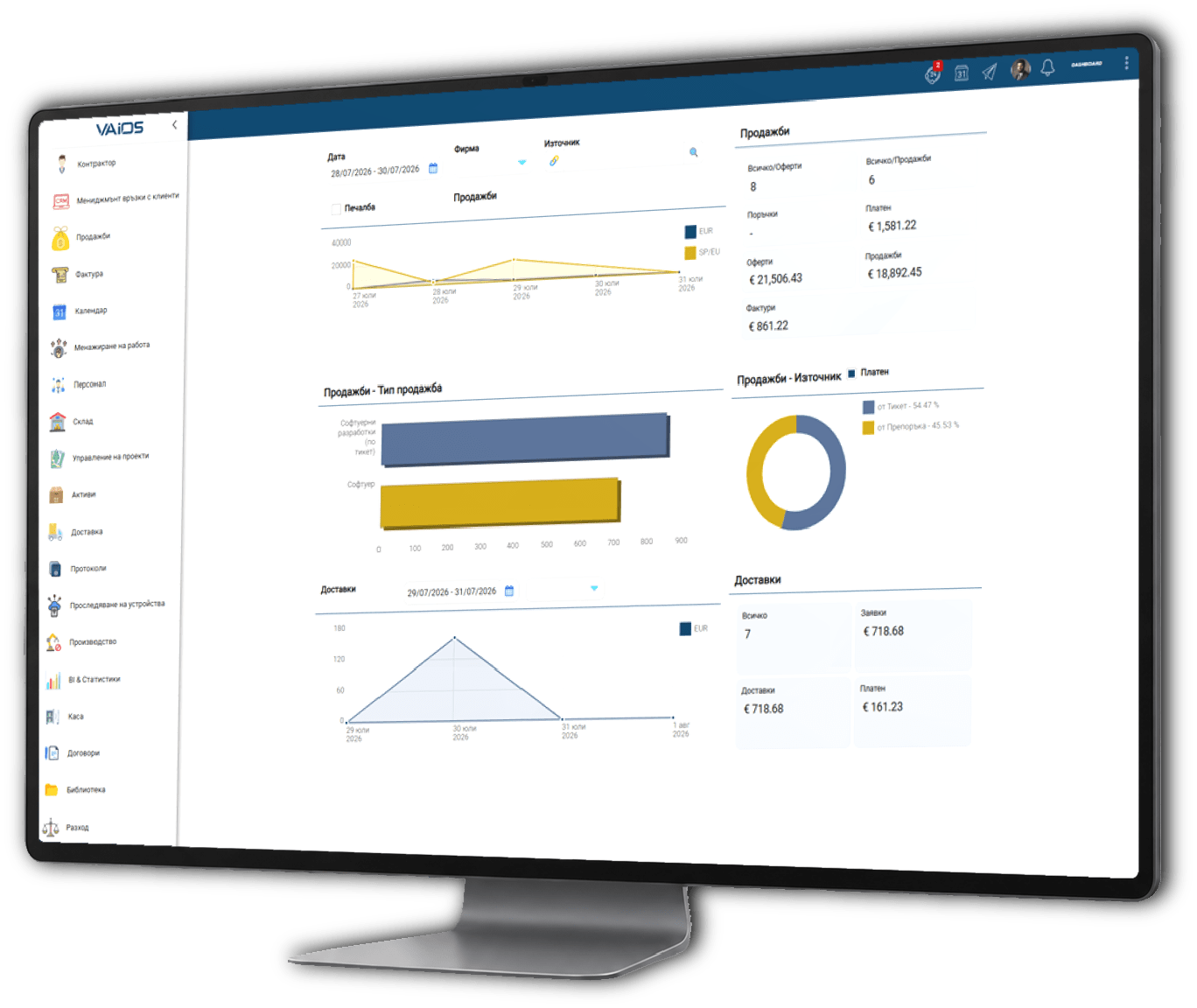
All departments work together
in real time, using the same
information.
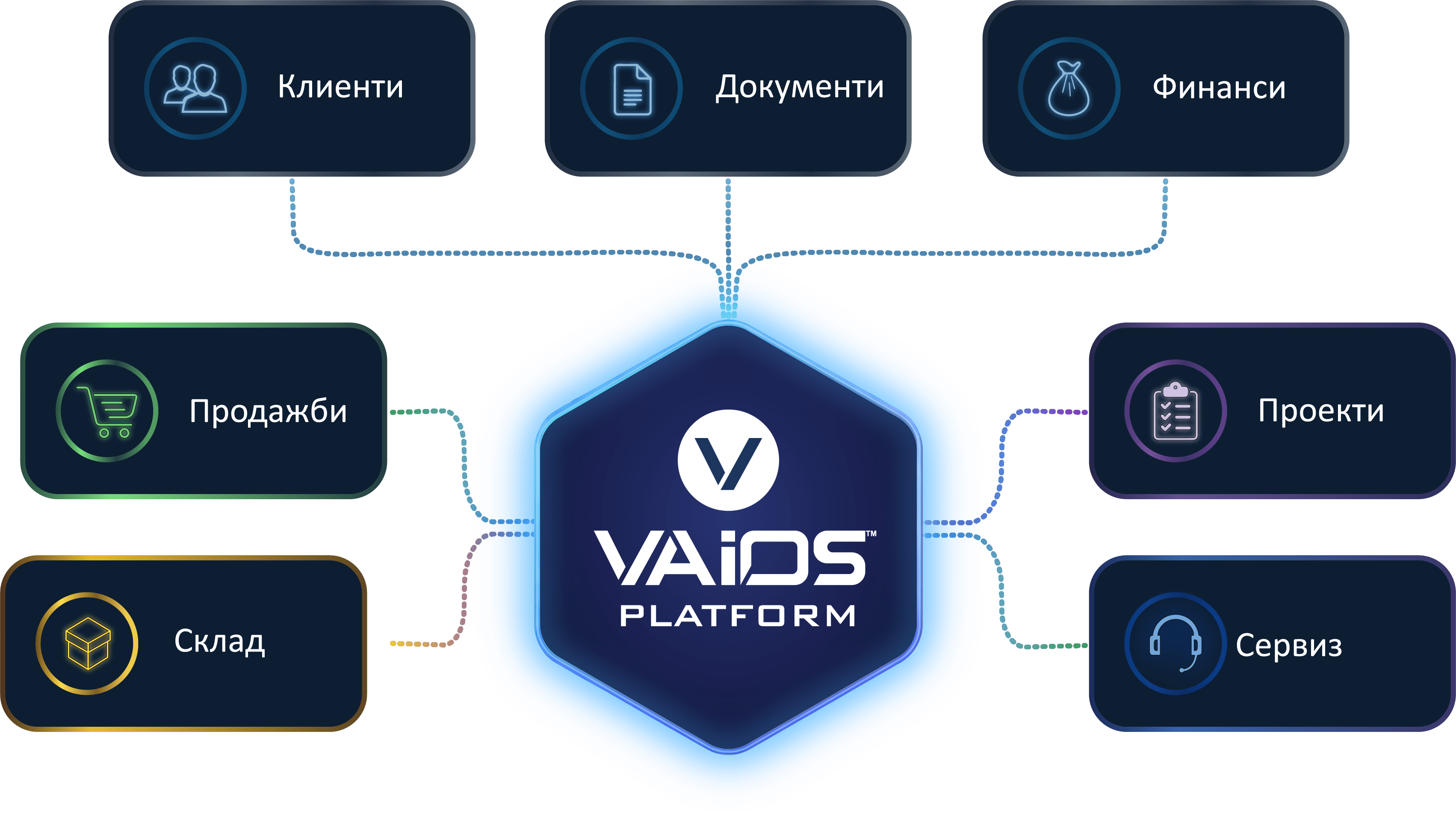
Resource Management
and Business Operations

Automation of
Business Processes

Customer Management
and Sales

Analytics and Management
Reports

Management of
Human Resources

Accounting
and Payroll

Service and Support
for Customers

Project Management
and Tasks

Inventory and
Logistics

Management of
Documents

Sales and Retail
Locations

Artificial Intelligence
in Every Process
Contact registration
and initial communication
Preparation and delivery
of a quote
Contract signing
and approval
Planning and execution
of the project
Fulfilment and delivery
of goods/services
Automatic generation
of an invoice
Analytics and reports in
real time

Eliminate manual work
and reduce errors.
Make better decisions
based on accurate data.
Access the system from
any device and location.
Artificial intelligence that
helps you every day.
Work from anywhere
without limitations.
Your data is protected
at the highest level.
The platform adapts
to your business.
Easy integration with other
systems and services.
It grows together with your
business without limits.
Intelligent automation
and analytics.
Contact us and take the first step towards digital transformation.
Module 01
Manage your customers, suppliers and business partners from a single centralised register.
Store contact details, addresses, agreed
terms, related parties, documents and a history of
your relationship with each business partner.
The information is available to all connected modules,
eliminating duplicate data entry and providing
up-to-date data across every business process.
Module 02
Track every sales opportunity and every interaction with your prospective and existing customers.
Organise enquiries, tasks, meetings,
calls and sales activities in a clear and accessible
sequence.
Your team gets a complete communication history,
the current status of every deal and the necessary reminders
for the next actions.
Module 03
Communicate quickly and securely with your colleagues directly within the business platform.
Create individual and group conversations, share
information and discuss current tasks without using
external applications.
Communication remains connected to the working environment and is
available to employees according to their permissions and roles.
Module 04
Manage the entire sales process, from the quote to fulfilment of the customer order.
Create quotes, orders and related documents using
current prices, discounts and agreed terms
for each customer.
Track the status of every sale and access
accurate information about completed and upcoming deliveries.
Module 05
Issue and manage invoices, credit notes and other commercial documents.
Documents can be created directly from sales,
deliveries and contracts without re-entering information.
Track payments, due dates and outstanding balances
while maintaining a clear history for each business partner.
Module 06
Plan and track incoming and outgoing deliveries in real time.
Manage requests, supplier orders, deadlines,
quantities and accompanying documents from one system.
Integration with inventory, sales and invoicing
ensures a consistent and traceable process.
Module 07
Maintain accurate information about stock levels and the movement of goods and materials.
Manage multiple warehouses, batches, serial numbers,
minimum stock levels and internal transfers.
Every movement is recorded automatically, providing
an up-to-date view of inventory at every location.
Module 08
Plan production operations, resources and required materials.
Manage bills of materials, stages, work orders,
materials used and quantities produced.
Track production costs, performance and variances
using up-to-date inventory and order data.
Module 09
Manage the organisation’s equipment, machinery, technology and other assets.
Maintain detailed information about location,
responsible employees, documents, warranties and technical specifications.
Track the history, condition and related activities
throughout the entire lifecycle of each asset.
Module 10
Organise service requests, repairs and maintenance of customer equipment.
Record intake, diagnostics, parts used,
completed activities and responsible employees.
Track the status and deadlines of every service order and provide
a complete history of the service performed.
Module 11
Manage customer reports, questions and technical support requests.
Assign requests to the appropriate employees,
set priorities and track response deadlines.
Store all communication and the history of resolutions
to ensure consistent customer service.
Module 12
Plan projects, deadlines, stages and required resources in a shared working environment.
Assign responsibilities, track progress and
organise project documents and communication.
Compare planned and actual resources used,
time and costs for better control.
Module 13
Organise employees’ daily work through tasks, deadlines and clear responsibilities.
Create individual and team tasks, set
priorities and track the current completion status.
Managers get a clear overview of workloads,
delays and upcoming commitments.
Module 14
Create and store standardised reports for completed activities and services.
Use predefined templates and add
participants, locations, results and accompanying documents.
Each report remains linked to the relevant customer,
project, service order or other business operation.
Module 15
Manage contracts, deadlines, terms and related commitments in one place.
Store versions, appendices, responsible employees,
values and validity periods for every contract.
Receive reminders about approaching deadlines and link
contracts with business partners, invoices and projects.
Module 16
Maintain centralised information about employees and the organisational structure.
Manage job positions, departments, contracts, documents,
qualifications, leave and other personnel data.
Controlled access ensures that sensitive
information is available only to authorised employees.
Module 17
Process accounting information in direct connection with the other business modules.
Use data from invoices, payments, inventory
operations and expenses without repeated manual entry.
Maintain accounting records and reports with up-to-date
and traceable information about the business.
Module 18
Manage cash transactions and cash balances at every location.
Record receipts, payments, transfers and
cash documents with clearly defined reasons.
Track current balances and transaction history
by cash desk, employee and period.
Module 19
Record, categorise and control the organisation’s expenses.
Link expenses to suppliers, projects, departments,
employees, assets and specific business activities.
Track approval and payment, and analyse
the expense structure according to selected criteria.
Module 20
Connect sales with fiscal devices and automate the issuing of fiscal documents.
Send the required information to the compatible
device directly from the completed transaction.
Reduce manual work and the risk of discrepancies between
recorded sales and issued documents.
Module 21
Turn accumulated business data into clear analyses and management indicators.
Use interactive reports, charts and dashboards
based on information from all connected modules.
Analyse sales, expenses, inventory, efficiency
and other key indicators in real time.
Module 22
Manage business email correspondence directly from the business platform.
Send and receive messages and link them
to customers, deals, contracts, tasks and projects.
Communication is stored as part of the history
of the relevant process and remains easily accessible.
Module 23
Organise company documents, files and internal resources in a centralised library.
Arrange content by categories, folders and topics
and manage access according to employee roles.
The team has access to up-to-date procedures, instructions,
templates and materials from one secure location.


